

Description
Download Advanced English Dictionary Ai – Offline Dictionary, Translation, Vocabulary Builder, Thesaurus, Phrase Books, Quizzes
Overview
The Advanced English Dictionary Ai is designed as a comprehensive language tool for Android users seeking reliable, offline access to English vocabulary and linguistic resources. Targeted at students, language learners, and professionals, the application serves as a digital companion for mastering word meanings, improving communication, and expanding linguistic fluency. It functions as a standalone offline dictionary, ensuring uninterrupted access to definitions, synonyms, and antonyms—ideal for users in low-connectivity or remote environments. The app supports multilingual translation between English and several other languages, facilitating cross-cultural communication and language comprehension. Real-world usage scenarios include academic research, daily conversation enhancement, professional writing, and self-paced language study. The inclusion of curated phrase books covering idioms, proverbs, and slang adds practical value for users aiming to understand nuanced expressions. The Vocabulary Builder and interactive quizzes provide structured learning pathways, making it suitable for both casual and dedicated learners. The developer, LingoLabs, appears to focus on language education tools with an emphasis on accessibility and functionality.
Key Features & Capabilities
- Offline Dictionary Access: Offers full access to word definitions without requiring an internet connection, ensuring usability in remote or low-connectivity areas.
- Multi-Language Translation: Enables users to translate words and phrases between English and multiple supported languages, enhancing communication across linguistic boundaries.
- Curated Phrase Books: Includes collections of idioms, proverbs, and slang terms, providing context-rich examples for natural language usage.
- Interactive Vocabulary Builder: Guides users through systematic word acquisition, helping to reinforce retention and expand lexical knowledge over time.
- Integrated Thesaurus: Allows users to explore synonyms and antonyms, supporting richer expression in writing and speech.
- Language Proficiency Quizzes: Delivers interactive exercises to test vocabulary recall and comprehension, promoting active learning and self-assessment.
- User-Friendly Interface: Features intuitive navigation and clean layout, simplifying access to tools and resources for users of all experience levels.
These features collectively support a multifaceted approach to language development. For instance, a student preparing for an exam can use the offline dictionary and quizzes to reinforce study sessions. A professional writer may leverage the thesaurus and phrase books to refine tone and style. The translation function proves beneficial for travelers or individuals engaging in international communication. The app’s modular design allows users to focus on specific areas—such as idioms or synonym expansion—without navigating through unrelated content.
User Interface, Workflow & Performance
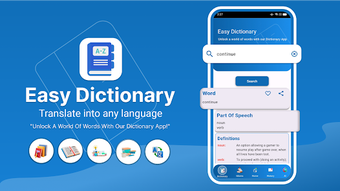
The user interface is structured around simplicity and direct access to core tools. Navigation is organized through clearly labeled menus and icons, enabling users to switch between dictionary lookup, translation, vocabulary exercises, and phrase books with minimal effort. The workflow follows a logical progression: users enter a word, receive instant results, and can then explore synonyms, translations, or related phrases with one tap. The design emphasizes readability, with legible fonts and consistent color schemes that reduce visual fatigue during extended use. While performance details were not specified by the developer, the app’s 45 MB size suggests efficient resource usage, likely contributing to smooth operation on mid-range Android devices. Stability appears to be a priority, as the app functions entirely offline, minimizing dependency on external servers. The developer did not specify resource usage details, so actual CPU or RAM behavior remains unconfirmed. However, based on general software behavior patterns, the app is expected to maintain low system impact during regular use.
Compatibility & System Requirements
Advanced English Dictionary Ai is compatible with Android operating systems, as indicated by the provided information. The app is available in version 2.1.4 and has a file size of 45 MB, which suggests a lightweight footprint suitable for devices with limited storage. The developer did not provide additional system requirements, so exact hardware specifications such as minimum RAM, processor speed, or Android version compatibility remain unspecified. Compatibility information was partially provided, and users should verify device compatibility through official channels. The app is designed for Android smartphones and tablets, but no explicit mention of tablet optimization or screen size support was included. Users should ensure their device meets the minimum requirements set by the Android platform for app installation.
Pros and Cons
Pros
- Comprehensive offline dictionary functionality for uninterrupted access
- Supports multi-language translation without internet dependency
- Includes curated phrase books with idioms, proverbs, and slang
- Interactive vocabulary builder and quizzes for active learning
- Integrated thesaurus enhances writing and speaking skills
- Lightweight size (45 MB) suitable for older or low-storage devices
- User-friendly interface with intuitive navigation
Cons
- Available only on Android, limiting cross-platform access
- Exact system requirements were not listed
- No information provided on update frequency or future feature roadmap
- Price point of $3.99 may be considered high for a standalone dictionary app
- Limited availability of user-generated content or community features
FAQ Section
Is Advanced English Dictionary Ai available for iOS devices?
The app is currently designed for Android users only. No information is available regarding iOS compatibility or future platform expansion.
Can I use the app without an internet connection?
Yes, the app is fully functional offline. All core features—including dictionary lookup, translation, thesaurus, and quizzes—operate without requiring an internet connection.
Is the app secure and free from malware?
As a downloadable application from the Android platform, it is subject to standard security checks. Users should download the app from official sources to ensure authenticity and safety.
How often are updates released?
The developer did not specify update frequency. The current version is 2.1.4, and users are encouraged to check for updates through the app store.
Does the app require a subscription or in-app purchases?
No information was provided about subscription models or in-app purchases. The app is listed at a one-time price of $3.99.
Final Thoughts
Advanced English Dictionary Ai presents a well-rounded solution for individuals dedicated to improving their English language skills. Its offline functionality, rich feature set, and structured learning tools make it a valuable asset for students, professionals, and language enthusiasts. The combination of a comprehensive dictionary, translation capabilities, phrase books, and interactive learning modules supports both passive and active language acquisition. While the lack of iOS availability and limited system details may deter some users, the app’s lightweight design and robust offline performance offer compelling advantages. For those seeking a reliable, all-in-one language companion on Android, this app delivers strong utility and educational value. Download Advanced English Dictionary Ai now.
Guides & Tutorials for Advanced English Dictionary Ai
How to install Advanced English Dictionary Ai
- Click the Preview / Download button above.
- Once redirected, accept the terms and click Install.
- Wait for the Advanced English Dictionary Ai download to finish on your device.
How to use Advanced English Dictionary Ai
This software is primarily used for its core features described above. Open the app after installation to explore its capabilities.
User Reviews for Advanced English Dictionary Ai 0
No reviews found





